

RozbijBank MCP Server
Podłącz swojego asystenta AI do danych o polskich bankach — konta, lokaty, promocje i kody polecające w czasie rzeczywistym.
Czym jest MCP?
Model Context Protocol (MCP) to otwarty standard, który umożliwia asystentom AI bezpośredni dostęp do zewnętrznych danych i narzędzi. Zamiast polegać na nieaktualnych danych treningowych, Twój AI może odpytywać aktualne informacje — takie jak oferty bankowe, oprocentowanie i promocje — przez bezpieczny, ustandaryzowany interfejs.
Serwer MCP RozbijBanku daje każdemu kompatybilnemu asystentowi AI natychmiastowy dostęp do kompleksowych danych o polskiej bankowości. Możesz porównywać konta, znaleźć najlepsze lokaty lub sprawdzić aktywne promocje — wystarczy zapytać.
Dostępne narzędzia
Serwer udostępnia 10 narzędzi, które obejmują pełen zakres danych o polskiej bankowości:
SearchPersonalAccounts
Wyszukiwanie i porównywanie kont osobistych w polskich bankach.
SearchSavingsAccounts
Wyszukiwanie i porównywanie kont oszczędnościowych z oprocentowaniem i warunkami.
SearchDeposits
Wyszukiwanie i porównywanie lokat bankowych wg kwoty, okresu i waluty.
SearchBusinessAccounts
Wyszukiwanie i porównywanie kont firmowych dla przedsiębiorców.
SearchPromotions
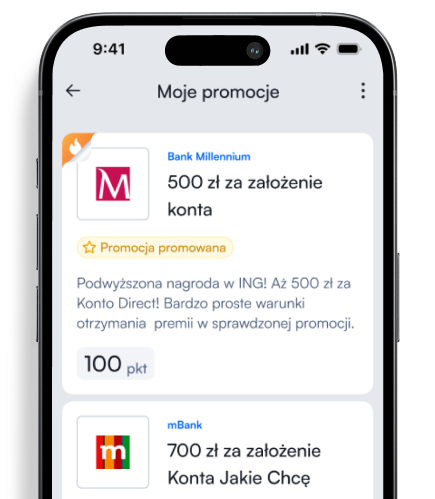
Wyszukiwanie aktywnych promocji bankowych z filtrowaniem po produkcie, banku i sortowaniu.
GetPromotionDetails
Szczegóły promocji: zadania krok po kroku, ukryte opłaty i porady eksperta.
GetBanks
Lista wszystkich banków dostępnych na platformie z nazwami i logotypami.
GetReferralCode
Kod polecający dla wybranego banku — bonus za zaproszenie.
GetBlogArticles
Artykuły blogowe z poradami bankowymi i edukacją finansową.
CalculateDepositInterest
Kalkulator odsetek od lokaty z uwzględnieniem podatku Belki (19%).
Jak zacząć
Dodaj serwer MCP RozbijBanku do swojego narzędzia AI. Nie potrzebujesz klucza API — serwer jest darmowy i otwarty.
Claude Desktop
Dodaj do pliku claude_desktop_config.json:
{
  "mcpServers": {
    "rozbijbank": {
      "url": "https://mcp.rozbijbank.pl/"
    }
  }
}
Cursor
Dodaj do pliku .cursor/mcp.json:
{
  "mcpServers": {
    "rozbijbank": {
      "url": "https://mcp.rozbijbank.pl/"
    }
  }
}
Claude.ai
Przejdź do Settings → Integrations → Add MCP Server i wpisz:
https://mcp.rozbijbank.pl/VS Code (Copilot)
Dodaj do pliku .vscode/mcp.json:
{
  "servers": {
    "rozbijbank": {
      "type": "http",
      "url": "https://mcp.rozbijbank.pl/"
    }
  }
}
Claude Code
Uruchom w terminalu:
claude mcp add rozbijbank --transport http https://mcp.rozbijbank.pl/Windsurf
Przejdź do Windsurf Settings → MCP i dodaj adres serwera:
https://mcp.rozbijbank.pl/ChatGPT Desktop
Przejdź do Settings → Tools → Add MCP Server i wpisz:
https://mcp.rozbijbank.pl/